
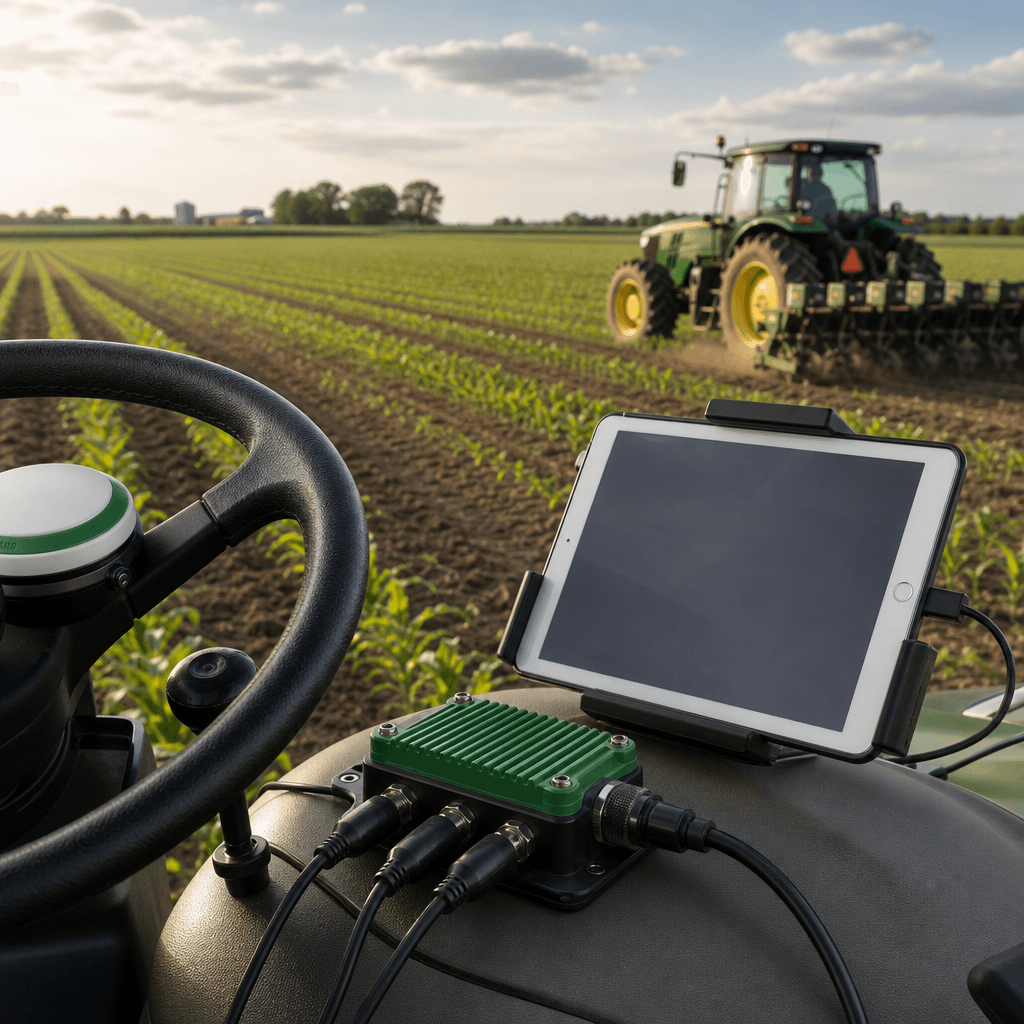
RTK GPS Autosteer for iPad: Precision Farming Without a PC
RTK GPS autosteer for iPad means using the iPad or iPhone already in your cab as the field cockpit for centimetre-level automated steering, while an external RTK GNSS receiver, an ECU, and steering hardware do the precision work. Our Agro Navigator system removes the old Windows-laptop requirement of AgOpenGPS-style setups, but not the need for proper RTK hardware and correction data.
That distinction matters more than most product pages admit. The tablet is a brilliant interface, yet it cannot receive satellite corrections or physically turn a wheel on its own. Understanding which parts of the system actually deliver accuracy is what separates a confident purchase from an expensive misunderstanding.
Table of contents
- What RTK GPS autosteer for iPad actually is
- The five layers that make it work
- Base and advanced hardware: two configurations, two jobs
- Why this matters for a steer-ready farm
- What to weigh before you commit
- Frequently asked questions
What RTK GPS autosteer for iPad actually is
At its simplest, this is autosteer where a native iOS app replaces the guidance computer. In traditional AgOpenGPS deployments, a Windows laptop or PC in the cab ran the guidance software. We built Agro Navigator so that the iPad or iPhone you already own becomes that display and control surface instead, paired with dedicated autosteer hardware.
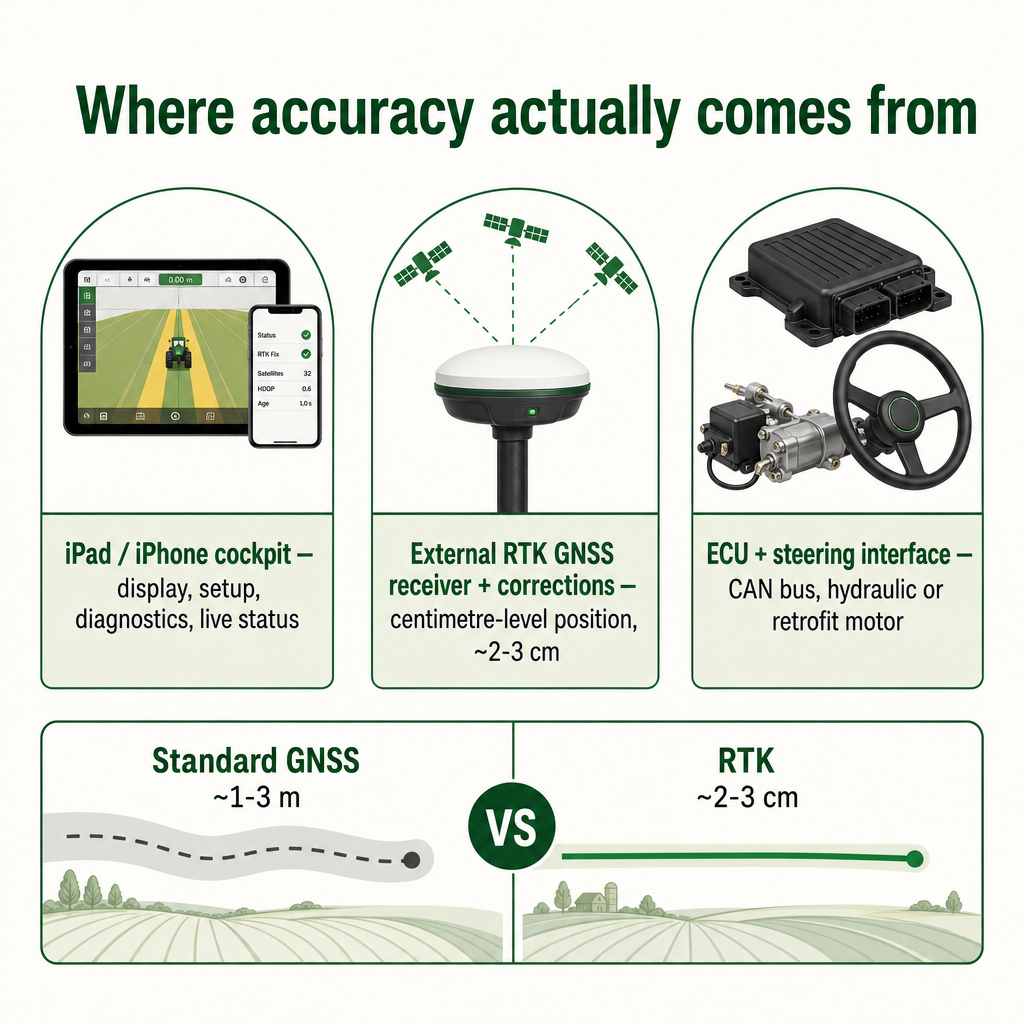
The word "RTK" is the part people underestimate. Standard GNSS positioning typically lands within 1–3 metres under normal field conditions. Real-Time Kinematic corrections tighten that to roughly 2–3 cm, and in practice autosteering built on RTK can hold a path within about ±2.5 cm. Independent GNSS material describes the same mechanism: RTK removes common satellite errors using nearby reference stations and can reach 1–2 cm positioning, which is why it is the accuracy class precision agriculture relies on.
The practical consequence is that the iPad is the cockpit, not the source of precision. High-accuracy position comes from the external receiver and its correction feed; the app consumes that data to run coverage mapping, line setup, diagnostics, and live machine status. If you have read our companion explainer on precision guidance without a Windows PC, this is the same principle expressed as a product: mobile-first control over a proper hardware stack.
The five layers that make it work
Our iPad autosteer setup is best understood as five layers, each with a distinct job. Miss one and the system cannot steer.
- Mobile cockpit. The iPad or iPhone runs the native app for navigation, field setup, diagnostics, and live machine status. It provides the screen, controls, and network connection.
- GNSS receiver. An external high-precision multi-band GNSS receiver supplies the position used for guidance. A u-blox ZED-F9P is one example of an RTK-capable module that can reach centimetre accuracy under suitable conditions.
- Correction data. RTK corrections arrive from a base station, an NTRIP service, or another receiver-supported path. Without a correction source, you have metre-level GNSS, not autosteer-grade RTK.
- ECU and communications. An electronic control unit and its communications path carry machine data between the mobile cockpit and supported hardware.
- Steering interface. Physical steering happens through steer-ready CAN integration, a hydraulic interface, or a correctly installed retrofit motor. Tractor fitment always needs confirmation.
The reason this framing helps buyers is that it exposes where reuse is possible. Because Agro Navigator is fully compatible with existing community AgOpenGPS boards and RTK receivers, a farm that already owns GNSS hardware and control boards can keep them and simply move to an iOS front-end. The layers you already own do not have to be replaced.
One honest caveat: the app and hardware stack are offered through early-access evaluation while they mature in field-ready development. That is a status, not a warning, but it does mean the layered picture above is where your questions should focus during deployment.
Base and advanced hardware: two configurations, two jobs
We offer the ecosystem in two hardware configurations, and the difference is connectivity rather than steering capability.
| Configuration | Connection to device | Steering control | Live connectivity |
|---|---|---|---|
| Base | USB hub + wired Ethernet (RJ45) | RTK autosteer via CAN bus, motor and hydraulic valve control | None built in |
| Advanced | Everything in base | Same steering control | Built-in 4G/GSM modem for telemetry and remote monitoring |
The base version is a complete autosteer solution: it connects to iPad, iPhone, or Android through a USB hub, interfaces with machine hardware over wired Ethernet, and supports open-protocol workflows including CAN bus steering plus motor and hydraulic valve control.
The advanced version keeps all of that and adds a 4G/GSM modem. That single addition turns the hardware into a connected node: live telemetry, remote machine monitoring, and fleet management through an online dashboard. The steering does not get better; the visibility across machines does.
The variant question therefore maps cleanly onto operation type. An independent farmer upgrading one steer-ready tractor may need nothing beyond the base configuration. A fleet manager or dealer running several machines across sites is buying the modem as much as the autosteer.
Why this matters for a steer-ready farm
The operational case for RTK autosteer is well documented and consistent across independent sources. Hands-free steering with sub-inch guidance has been shown to cut overlap between passes by roughly 8–10%, lowering fuel, labour, and input costs. A US precision-farming review reports that auto guidance is used by about 65% of large agricultural producers and reduces overlap errors during tillage, seeding, and spraying while easing operator fatigue. A European agency case study similarly links GNSS guidance to reduced input use, fuel and time savings, and optimised yields.
What is specific to the iPad approach is what it removes and what it preserves. It removes the Windows PC from the cab, which for many AgOpenGPS users was the most awkward and least durable part of the setup. It preserves open-platform freedom: your existing boards and RTK receiver stay in service, and you are not locked into a single 's closed ecosystem.
For the AgOpenGPS community specifically, that combination is the point. You gain a mobile-first cockpit designed for touch, mobile networking, and in-cab ergonomics, without abandoning the open hardware you have already invested in. Our broader explainer on how satellite guidance transforms modern fields covers this positioning in more depth.
What to weigh before you commit
This is a compatibility decision more than a shopping decision. A few judgment criteria decide whether the system fits your yard, and none of them are about which product is "best."
- Your tractor's steering interface. Does it expose a compatible CAN bus for steer-ready integration, or will it need hydraulic valve control or a retrofit steering motor? CAN-based machinery generally follows the ISOBUS framework described by the ISO 11783 standard, but we do not claim formal ISOBUS certification, so treat CAN/ISOBUS as the technical context for fitment, not a compliance guarantee. Fitment must be confirmed rather than assumed.
- Your correction path. RTK is only as good as its corrections. Confirm you have a workable base station or NTRIP service in range; the correction layer is external and required.
- Reusable hardware. If you already run AgOpenGPS boards and an RTK receiver, they can likely stay in service, changing the economics of the move considerably.
- Connectivity needs. Decide honestly whether in-cab operation is enough or whether remote monitoring and fleet telemetry justify the advanced configuration.
- Early-access reality. The ecosystem is in field-ready development. Planned autonomy features such as predefined path driving and multi-vehicle coordination are roadmap items, not certified capabilities today, and close communication with us during deployment is part of the deal.
The cleanest next step is to match your specific tractor and existing hardware to the right configuration. Tell us your tractor make and model, your current GNSS or RTK receiver, and whether you need telemetry, and we can confirm fitment and point you to the base or advanced setup. If you are still mapping out guidance needs for the season ahead, our overview of tractor GPS in 2026 is a useful companion read.
Agro Navigator
Match your tractor to the right RTK autosteer setup
Tell us your tractor make, model, and existing GNSS or RTK receiver, and we'll confirm fitment and point you to the base or advanced configuration.
See what the setup requiresFrequently asked questions
Does the iPad receive the RTK signal itself?
No. The iPad or iPhone is the cockpit for display, setup, and diagnostics. Centimetre-level position comes from an external RTK GNSS receiver and its correction feed, not from the tablet.
Do I still need a Windows PC like older AgOpenGPS setups?
No. Our native iOS app replaces the Windows guidance computer. You still need the RTK receiver, corrections, an ECU, and a steering interface, but the laptop is gone.
Can I reuse my existing AgOpenGPS boards and RTK receiver?
Yes. The system is fully compatible with existing community AgOpenGPS boards and RTK GPS receivers, with Agro Navigator acting as the iOS front-end and autosteer control layer on top.
What is the difference between the base and advanced hardware?
Both deliver RTK autosteer via CAN bus, motor, and hydraulic control. The advanced version adds a built-in 4G/GSM modem for live telemetry, remote monitoring, and fleet management.
Will it work on any tractor?
Only where the steering interface is compatible. Steer-ready tractors integrate via CAN bus; others may need hydraulic valve control or a retrofit motor. Fitment should always be confirmed rather than assumed.