Back to blog
13 min read
RTK GPS Autosteer for iPad: Precision Guidance Without a Windows PC

RTK GPS Autosteer for iPad: Precision Guidance Without a Windows PC

Most AgOpenGPS autosteer builds still ask a farmer to run a Windows tablet in the cab, wire it to a GNSS receiver, and babysit an operating system that was never designed for the vibration, dust, and glare of a working tractor. Agro Navigator takes a different route. Our rtk gps autosteer for iPad pairs dedicated autosteer hardware with a native iOS app for iPad and iPhone, built on the open-source AgOpenGPS platform, so you get centimetre-class guidance on a device you already own — without a Windows PC anywhere in the chain.

That single change reshapes the whole in-cab experience. Independent AgOpenGPS how-to guides describe the conventional setup as a Windows 10 tablet or laptop connected by USB to an RTK receiver, plus an autosteer board, a wheel-angle sensor, and a steering actuator. The steering electronics stay valuable; the fragile Windows layer does not. Agro Navigator keeps the open hardware you can trust and replaces the operating system in front of it with a purpose-built iOS interface.

Table of contents

Why a Windows PC in the cab holds you back

The standard AgOpenGPS recipe is well documented in the farming community, and it works — but it carries a tax you pay every season. A detailed AgOpenGPS RTK autosteer how-to guide explains that these systems typically require a Windows 10 tablet or laptop, a GNSS/RTK receiver and antenna on the vehicle, an autosteer PCB, a wheel-angle sensor, and a steering actuator such as an electric motor or hydraulic valve. A separate user build report describes the same pattern: AgOpenGPS running on Windows on a tablet, connected by USB to a u-blox F9P receiver, with an Arduino-based motor controller handling the steering.

Every one of those pieces earns its place except the operating system. A consumer Windows tablet in a tractor cab means driver updates that arrive mid-season, sleep and USB-power quirks that drop the receiver connection, touch targets designed for an office rather than gloved hands, and screens that struggle in direct sunlight. When something goes wrong at the busiest point of the year, you are debugging a PC instead of driving a field.

The hardware around AgOpenGPS is genuinely open and repairable. The problem has always been the front end. By moving guidance and autosteer control onto a native iOS app, Agro Navigator removes the least agricultural component in the whole stack. There is no Windows licensing to manage, no separate tablet to charge and protect, and no OS layer between you and the machine that behaves differently every update cycle.

There is a broader precision-ag lesson here that applies well beyond guidance: the tools that survive on a real farm are the ones built for the environment, not adapted to it. The same thinking runs through data-driven seeding decisions, as our overview of smarter seeding technology in the Precision Planting 20/20 system shows — the value comes from field-ready hardware paired with software that a farmer can actually operate under pressure.

What RTK accuracy actually delivers in the field

Autosteer is only as good as the position feeding it, which is why RTK matters. A GNSS 's precision-agriculture overview explains that real-time kinematic (RTK) is a correction technique for GNSS constellations that removes atmospheric and other errors, improving accuracy from metre-level down to roughly 2.5 cm. That same source confirms RTK is what makes precise tractor guidance and auto-steering practical, improving productivity and reducing operator workload.

The gap between raw GPS and RTK is not marginal. A precision-ag guidance explainer notes that standard GPS typically varies by two to four metres, while RTK tightens that to a few centimetres and supports pass-to-pass accuracy of around 2.5 cm on straight-line driving and headland turns. On a wide implement, that difference decides whether you overlap and waste inputs, or skip and leave gaps. Across a season, the compounding effect on seed, fertiliser, chemical, and fuel is exactly why growers invest in guidance at all.

There is one dependency to plan for. RTK corrections have to come from somewhere. The guidance explainer is explicit that effective RTK on a farm requires either your own base station or access to an external RTK network. That correction source is separate from the cab hardware. Agro Navigator's system integrates with the NTRIP service or base station you choose, so you keep freedom over your correction provider while the in-cab experience moves to iPad and dedicated autosteer hardware.

Comparison graphic showing a wide standard GPS pass versus a tight RTK-guided pass across a field

The Agro Navigator system: hardware and native iOS app

Agro Navigator is built as two tightly matched parts: dedicated RTK autosteer hardware and a native iOS guidance and autosteer app for iPad and iPhone. The app implements AgOpenGPS guidance logic and autosteer control directly, which is what lets it replace the Windows-based front end rather than sit alongside it. An open-source agricultural catalogue describes AgOpenGPS as a precision-agriculture application providing real-time GPS-based field mapping, automated guidance, and section control, integrating with custom PCB firmware and steering systems for low-cost autosteer. Agro Navigator carries that capability set onto iOS.

On the hardware side, the autosteer unit is designed to work with steer-ready tractors through CAN bus integration, so the system can command the factory steering hardware where the tractor already supports it. That keeps installation clean on modern machines and avoids adding mechanical actuators when they are not needed. Where a tractor is not steer-ready, the same steering concepts documented across AgOpenGPS builds apply — a motor on the steering wheel or a hydraulic valve, plus a wheel-angle sensor — and Agro Navigator treats that as a supported configuration choice rather than a project you assemble alone.

Compatibility with the wider AgOpenGPS ecosystem is deliberate. The platform relies on standard NMEA GNSS streams and custom PCB interfaces, and Agro Navigator's hardware and app are built to work with existing community AgOpenGPS boards and RTK receivers. If you have already invested in a u-blox-based receiver and a community board, that investment carries forward. You are changing the interface and adding supported hardware, not throwing away what already works.

The system also handles machine-level data as part of normal operation. Agro Navigator's privacy policy states that platform features may process precise field location, GNSS/RTK status, board communication, machine configuration, and diagnostic logs as part of service operation. That is the technical foundation behind live guidance, autosteer control, and the telemetry available on the advanced hardware model.

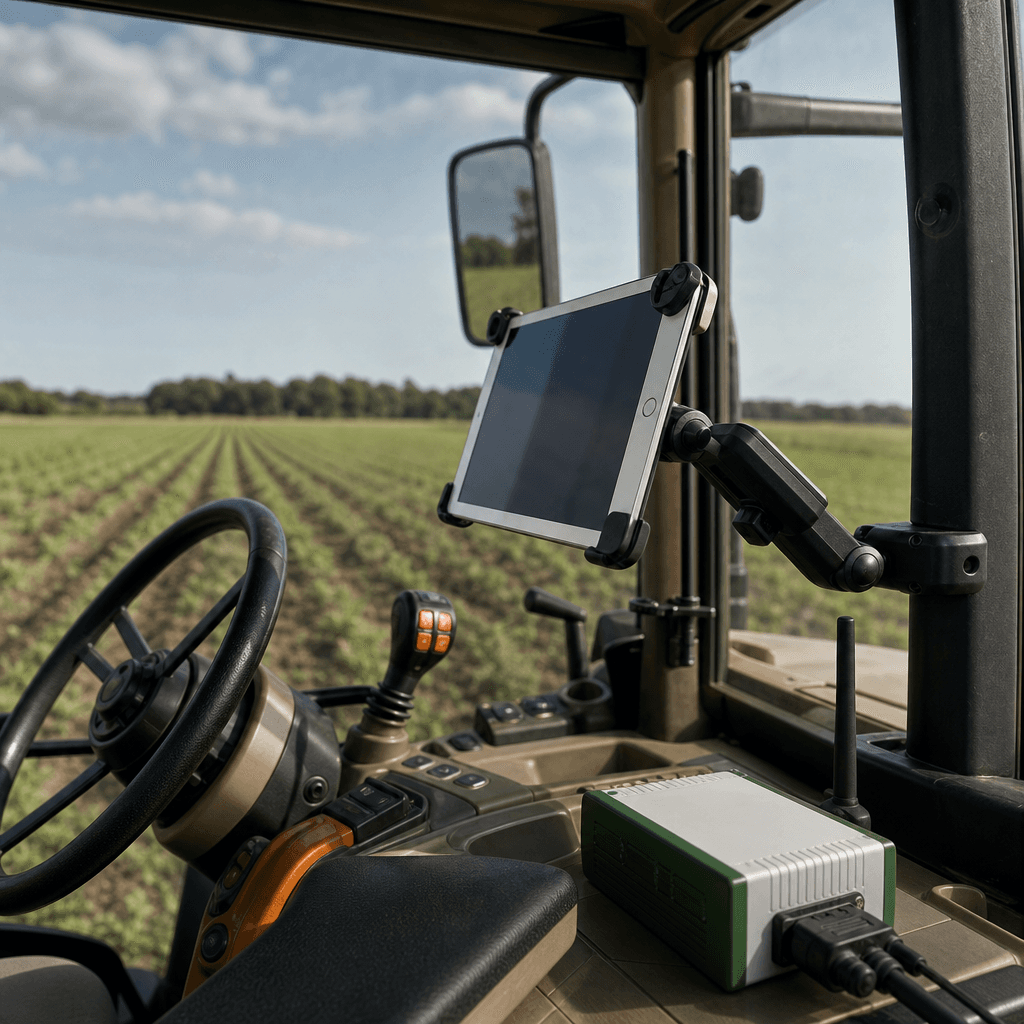
An iPad mounted in a tractor cab running a guidance interface with a compact autosteer hardware unit nearby

Choosing between the wired and 4G/GSM models

Agro Navigator ships in two hardware configurations, and the right one follows from how many machines you run and whether you need to see them remotely.

The base wired model connects to the iPad or iPhone via Ethernet over USB. It is focused on robust, affordable in-cab guidance and autosteer, with no telemetry layer. For a single-tractor operation or a cost-conscious buyer who mainly wants clean AB lines, dependable autosteer, and section-aware guidance, this is the direct path. Everything happens in the cab, on the device you carry, with a wired link that is not dependent on cellular coverage.

The advanced 4G/GSM model adds an integrated cellular modem. That unlocks live telemetry, remote machine monitoring, and fleet management through an online dashboard. For contractors, multi-machine farms, and dealers or resellers, this is where the platform earns its keep: machine locations, GNSS/RTK status, and basic diagnostics become visible centrally instead of living inside a single cab. The data types involved align with what the privacy policy describes the platform processing — location, RTK status, board communication, and diagnostic logs.

Here is a compact way to place your operation against the two options:

Decision factorBase wired modelAdvanced 4G/GSM model
Typical operationSingle tractor, cost-focusedFleet, contractor, dealer
Connection to deviceEthernet over USBIP over built-in modem
TelemetryNoneLive telemetry and diagnostics
Remote monitoringNot includedOnline dashboard
Best fitIn-cab guidance and autosteerMulti-machine coordination

Both models run the same native iOS app and the same AgOpenGPS-derived guidance and autosteer logic, so the field experience is consistent. The difference is entirely about connectivity and oversight. A grower can start on the wired model and move a fleet toward the modem-equipped configuration as the operation grows, without relearning the interface.

For AgOpenGPS users: keep your boards, change your front end

If you are already part of the AgOpenGPS community, the pitch is simple: keep the open hardware you trust and drop the Windows dependency. The official AgOpenGPS repository confirms the software reads NMEA strings to record and map position information for agricultural use, which is the same data foundation Agro Navigator's app is built around. Because the platform relies on those standard GNSS streams and custom PCB interfaces, your existing receiver and board are speaking a language Agro Navigator already understands.

Many community builders got here through vendors who publish tutorials for connecting their RTK receivers to AgOpenGPS, starting as visual lightbar guidance and scaling up to full autosteer with section control. If you followed that path, you likely already own a compatible RTK receiver. Agro Navigator's compatibility stance is designed around exactly that reality — you are not starting over, you are upgrading the part of the system that always caused the most friction.

The move looks like this in practice. Your GNSS/RTK receiver keeps feeding position data. Your autosteer PCB keeps controlling the steering path. What changes is that the Windows tablet leaves the cab and an iPad running the native Agro Navigator app takes its place, connected through Agro Navigator's dedicated hardware. You gain a field-ready touch interface, a device that handles sunlight and cold starts better than a consumer Windows tablet, and — with the advanced model — telemetry that a DIY Windows build never offered out of the box.

There is a roadmap worth knowing about too. Agro Navigator has planned future autonomy features including predefined path driving, where the system executes stored field paths, and multi-vehicle coordination for fleets. These build naturally on the open-platform foundation rather than locking you into a closed black box, which is the same philosophy that drew many growers to AgOpenGPS in the first place.

What working with Agro Navigator looks like

Adopting the system is a guided process, not a weekend hacking session. The following flow reflects how a typical implementation runs, and each step is one where Agro Navigator or a partner dealer stays involved rather than handing you a parts list.

First comes a compatibility assessment. You inventory what you already run — RTK receiver model, any AgOpenGPS boards, tractor models, and whether those tractors are steer-ready. Because AgOpenGPS depends on NMEA GNSS streams and defined PCB interfaces, confirming compatibility is a concrete conversation rather than guesswork.

Second, you choose the hardware configuration. Fleet size, the need for remote monitoring, and connectivity in your area decide between the wired and 4G/GSM models. Third comes installation: the Agro Navigator hardware is mounted, connected to the tractor's CAN bus or to steering actuator hardware where a retrofit is needed, and the RTK antenna is placed with a clear view of the sky — the same siting discipline every good RTK install follows.

Fourth, you connect the device. The Agro Navigator iOS app goes on your iPad or iPhone, linking to the base model over Ethernet-over-USB or to the advanced unit over IP through its modem. Fifth, you configure RTK corrections by entering credentials for your chosen RTK network or base station, so the receiver has a continuous correction feed and can hold centimetre-level accuracy.

Sixth is field setup and autosteer tuning: defining AB lines, field boundaries, and implement widths in the app using AgOpenGPS-derived mapping and guidance workflows, then running calibration passes so the autosteer behaviour aligns with wheel-angle feedback. For advanced-model users, a seventh step activates telemetry, so the online dashboard begins showing machine locations, RTK status, and diagnostics.

Consider two concrete scenarios. An independent grower with a steer-ready tractor, a u-blox-based RTK receiver, and an AgOpenGPS PCB retires the Windows tablet, installs the base wired model, and runs the iPad app — the cab gets simpler and start-up gets faster, while the RTK accuracy that already justified the build stays intact. A contractor running a small fleet instead specifies the 4G/GSM model across several tractors, each paired with an iPad, and manages the whole group from the dashboard, watching location and RTK status live.

A realistic note on scope: because Agro Navigator's product detail is still expanding publicly, specifics such as pricing, warranty terms, the full list of supported community boards, and exact tractor coverage should be confirmed directly during your compatibility check. The value case does not depend on those numbers. It rests on reusing existing open hardware, cutting proprietary guidance licensing, and replacing a fragile Windows front end with a supported iOS one — while RTK continues to reduce overlaps, skips, and driver fatigue.

A final word on responsibility: autosteer is a driver aid, not a replacement for the operator. You remain in charge of the machine and its surroundings at all times, and local practice should guide how you supervise the system in the field.

Frequently asked questions

Do I really not need a Windows PC or tablet?

No. Conventional AgOpenGPS autosteer builds are documented as requiring a Windows 10 tablet or laptop in the cab. Agro Navigator replaces that with a native iOS app on an iPad or iPhone, connected to dedicated autosteer hardware. The guidance and autosteer logic runs on iOS, so there is no Windows machine in the setup.

Will it work with my existing AgOpenGPS boards and RTK receiver?

That is a core design goal. AgOpenGPS relies on standard NMEA GNSS streams and custom PCB interfaces, and Agro Navigator's hardware and app are built to work with existing community boards and RTK receivers. The exact list of supported boards, receiver models, and tractor brands should be confirmed during a compatibility assessment with Agro Navigator or a dealer.

Do I still need an RTK correction source?

Yes. RTK accuracy of around 2.5 cm depends on corrections from either your own base station or an external RTK network. Agro Navigator's cab hardware does not remove that requirement; the system integrates with the NTRIP service or base station you choose. Selecting and subscribing to that correction source is part of the implementation conversation.

What is the difference between the wired and 4G/GSM models?

The base wired model connects to your device via Ethernet over USB and focuses on in-cab guidance and autosteer without telemetry. The advanced model adds a built-in 4G/GSM modem for live telemetry, remote machine monitoring, and fleet management through an online dashboard, which suits fleets, contractors, and dealers running multiple machines.

What if my tractor is not steer-ready?

Steer-ready tractors let Agro Navigator command factory steering through CAN bus integration. Older tractors generally need mechanical steering hardware — a steering-wheel motor or a hydraulic valve — plus a wheel-angle sensor, following the same concepts widely documented in AgOpenGPS builds. Agro Navigator treats this as a supported installation choice rather than a DIY project, and it is worth confirming your tractor's status during the compatibility check.

Does the advanced model send my field and machine data anywhere?

The advanced configuration enables telemetry so the dashboard can show machine locations, GNSS/RTK status, and basic diagnostics. Agro Navigator's privacy policy states the platform may process precise field location, GNSS/RTK status, board communication, machine configuration, and diagnostic logs as part of service operation. Review the current privacy policy for the specifics that apply to your account.