
Affordable Rtk Autosteer For Tractors: Precision Farming Without the Premium Price Tag
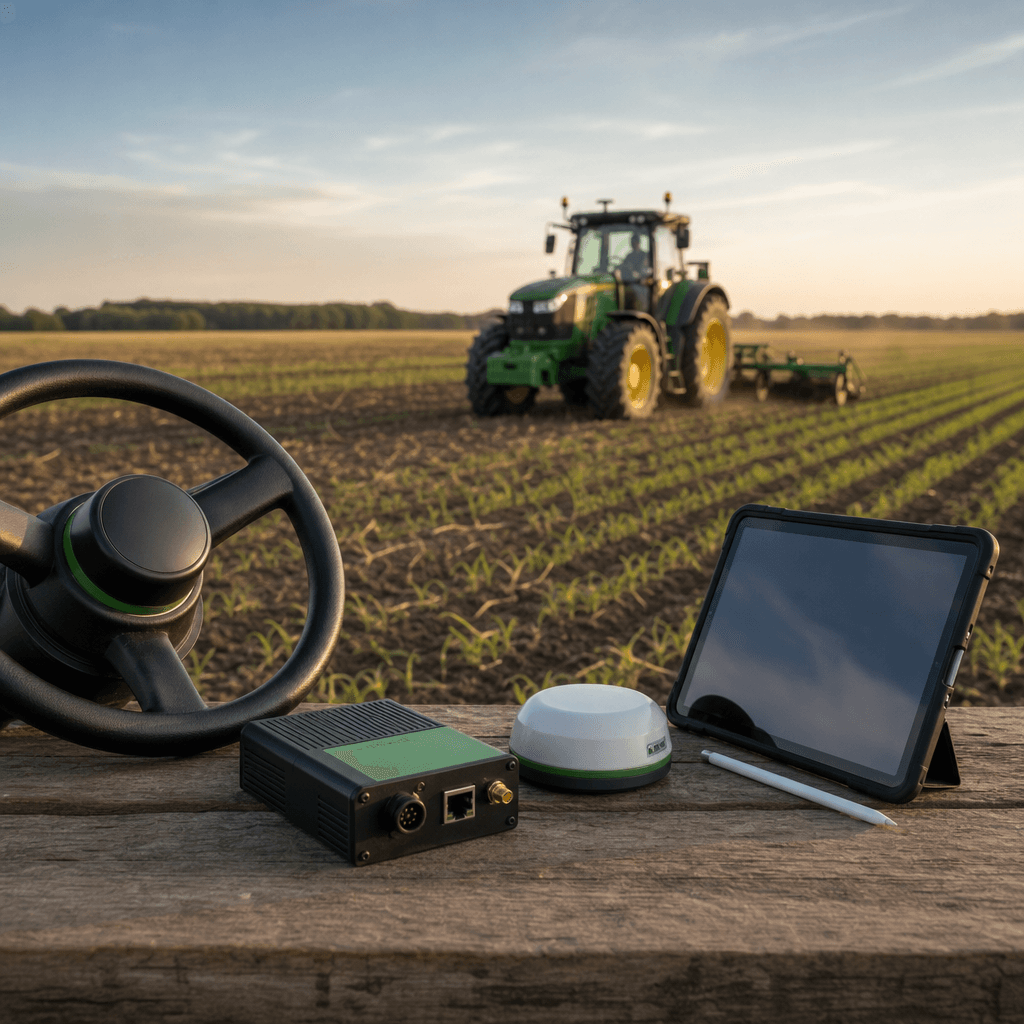
For years, RTK-level guidance carried a five-figure entry fee. Trade coverage still lists proprietary automated steering packages reaching or exceeding $30,000 when a base station is bundled in, and farmer discussions routinely put retrofitted RTK kits in the $10,000–18,000 range once monitors, unlocks, and radios are added. That price ceiling has kept sub-inch steering out of reach for many independent operators. Affordable RTK autosteer for tractors is now a realistic goal precisely because the expensive parts of that equation—the proprietary monitor, the locked correction service, the ruggedized Windows tablet—are no longer mandatory. Agro Navigator rebuilds the stack around hardware you add once and an Apple device you likely already own, running on the open AgOpenGPS platform instead of a closed dealer ecosystem.
This piece breaks down where the traditional cost comes from, how an open-platform controller plus a native iOS app changes the math, and how a steer-ready tractor gets from unpacked hardware to a straight line in the field.
Table of contents
- Where RTK autosteer cost actually comes from
- Agro Navigator's open-platform approach
- Two hardware paths: wired controller and 4G fleet hub
- From Windows DIY to a native iOS app
- Who this fits: farmers, fleets, and AgOpenGPS users
- Getting started on a steer-ready tractor
- Frequently asked questions
Where RTK autosteer cost actually comes from
The sticker price of a branded system is only part of the story, but even that part is steep. Farm Progress documents proprietary RTK packages that commonly reach $30,000 or more once a base station is included, while a separate report notes that RTK autosteer under $30,000 was treated as a breakthrough compared with the $40,000–65,000 typical only a few years earlier. Non-RTK guidance with coarser 4–8 inch accuracy still lands near $6,500. In other words, the affordable end of the branded market has historically meant giving up the precision that makes autosteer worth buying.
Several cost layers stack up in a conventional purchase. First is the display or monitor, often a proprietary unit that also acts as the software host. Second is the GNSS receiver, frequently tied to the same brand. Third is the steering mechanism—either a wheel motor bolted to the column or a hydraulic interface. Fourth is the correction source: an RTK subscription, an NTRIP service, or a dedicated base station and radio. On top of that, farmer forums describe feature and RTK unlock fees, where hardware you already own stays artificially limited until a per-feature license is paid.
Retrofit systems soften the entry cost but rarely eliminate the ecosystem lock-in. Discussions among growers put realistic retrofit RTK setups in the several-thousand to eighteen-thousand-dollar range, depending on whether they use new or used monitors and how the steering is driven. Farmers Weekly's coverage frames retrofit guidance as the main practical route for small and mid-size operations to add precision steering to existing tractors rather than buying new machinery. That confirms the strategy but not the savings: a retrofit tied to one 's monitor and correction plan still concentrates spending inside a single ecosystem.
The pattern is consistent. Cost is driven less by the physical difficulty of steering a tractor and more by bundling: proprietary display, proprietary receiver, proprietary corrections, and licensed features that unlock capabilities the hardware can already perform. An affordable approach has to break that bundle rather than shave a few hundred dollars off it.
Agro Navigator's open-platform approach
Agro Navigator attacks the bundle directly. Instead of selling a closed display-plus-receiver-plus-license package, it supplies a dedicated autosteer controller and a native iOS app, both built on the open-source AgOpenGPS platform. The farmer supplies the parts that are expensive to duplicate and cheap to reuse: an iPad or iPhone already in the operation, and an existing RTK receiver with whatever correction source is already trusted locally.
That reuse is the core of the value story. The Apple device replaces a ruggedized Windows tablet and a commercial software license. The existing RTK receiver and its corrections—whether that is a CORS network, an NTRIP caster, a farm base station, or a community base—stay in place, because the system does not force a specific GNSS brand. If you want the fundamentals of how satellite positioning underpins field accuracy, our explainer on GPS for precision farming and how satellite guidance transforms modern fields covers the RTK correction concept in plain terms.
Because the software sits on AgOpenGPS, core guidance and autosteer functions are not gated behind per-feature unlock fees. AgOpenGPS began as an open-source navigation project from farmer Brian Tischler and has been proven across a large community of builds. Agro Navigator's contribution is not a fork of the science but a delivery method: it is positioned as the first AgOpenGPS-compatible system with a dedicated native iOS app, and it stays fully compatible with existing community AgOpenGPS boards and RTK receivers rather than replacing them.
The integration point on the tractor matters just as much as the app. On steer-ready machines, Agro Navigator uses CAN bus integration to command the factory steering valves directly. That avoids bolting a generic wheel motor onto a column that already has integrated steering, which tends to mean a cleaner cab, less mechanical wear, and more responsive line-holding. The design intent throughout is retrofit: add a controller to equipment you already run, not a reason to buy a new tractor.
Two hardware paths: wired controller and 4G fleet hub
Agro Navigator offers two hardware configurations, and the right one depends on how much you need to know about machines when you are not sitting in them.
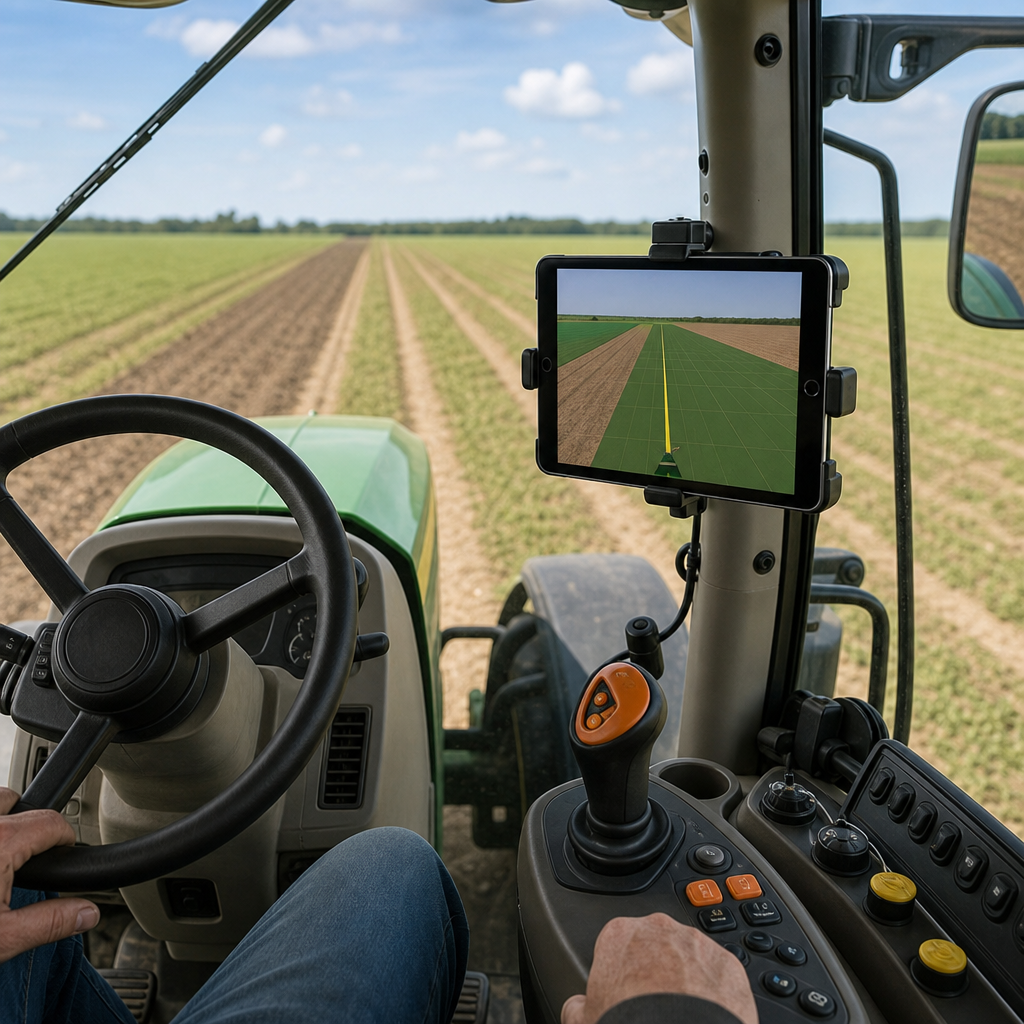
The base wired model is the straightforward autosteer controller. It connects to the iPad or iPhone via Ethernet over USB and interfaces with the tractor's steering and the existing GNSS receiver. This is the configuration for an operator who wants accurate line-holding on one or two machines and does not need remote visibility. Everything happens between the device in the cab, the controller, and the tractor.
The advanced model adds a built-in 4G/GSM modem. That single addition changes what the system can do outside the cab: live telemetry, remote machine monitoring, and fleet management through an online dashboard. Instead of walking to each tractor or calling the operator to ask where a machine is, a manager can see real-time position and status from a browser. It also opens the door to remote support and diagnostics, because someone off-site can look at machine state rather than working blind over the phone.
| Consideration | Base wired controller | Advanced 4G model |
|---|---|---|
| Device connection | Ethernet over USB | Ethernet over USB |
| Cellular modem | None | Built-in 4G/GSM |
| Remote visibility | In-cab only | Online dashboard |
| Best suited to | Single machine or owner-operator | Multi-machine and fleet oversight |
The decision usually tracks farm size and coordination needs. A single owner-operator running one steer-ready tractor gets full autosteer value from the wired controller. Once there are several machines, seasonal operators, or land spread across distant blocks, the telemetry layer earns its place. Positioned against high-end proprietary systems that fold telematics into premium packages and subscriptions, the advanced model is a lighter telematics layer: position, status, and support without committing to a single machinery brand's cloud.
From Windows DIY to a native iOS app
The open-source path to affordable autosteer already exists, and it is worth being honest about what it costs in effort. Future Farming's overview of universal autosteer options notes that a DIY AgOpenGPS build typically runs €1,500–2,000 (roughly $1,700–$2,275) in hardware components alone, before counting the builder's own time. That figure is genuinely cheaper than a proprietary system, which is why the community is large and active.
What the raw component cost hides is the engineering. A traditional AgOpenGPS build means sourcing and assembling PCB boards, wiring motors and sensors, fitting enclosures, and then running a Windows PC in the cab to host the software. Forum threads regularly describe the friction: compiling software, integrating used or mismatched hardware, and troubleshooting when a build behaves differently from someone else's. For a farmer whose priority is drilling straight rows this season, that is a project, not a purchase.
Agro Navigator keeps the open platform and removes the two heaviest burdens. There is no Windows laptop in the cab, because guidance runs as a native iOS app on an iPad or iPhone. And the controller arrives pre-engineered, so most of the PCB sourcing, wiring design, and self-compiling disappears. The farmer stays on an open, community-compatible platform but skips the assembly and maintenance workload. Our companion articles on RTK GPS autosteer for iPad without a Windows PC and the related walkthrough of precision guidance for iPad without a Windows PC go deeper into what running guidance on Apple hardware looks like day to day.
The trade-off is deliberate. Pure DIY offers maximum tinkering freedom at the price of your labour and support responsibility. A closed proprietary system offers a turnkey experience at the price of ecosystem lock-in and licensing. The iOS-plus-open-controller route aims for the middle: turnkey enough to install and use without an engineering background, open enough that you are not trapped by one 's receiver, corrections, or feature paywall.
Agro Navigator
See how iPad autosteer works without a Windows PC
Explore how RTK guidance runs on the iPad you already own, using an open AgOpenGPS controller instead of a laptop in the cab.
Read the iPad autosteer guideWho this fits: farmers, fleets, and AgOpenGPS users
Different operations value different parts of this system, so it helps to map the offering to concrete situations.
An independent farmer with a steer-ready tractor is the clearest fit. They already own an iPad, may already have an RTK receiver or access to a correction source, and want accurate autosteer without a $20,000-plus commitment. For them the base wired controller plus their existing device and receiver is the affordable route to sub-inch guidance, using CAN bus control instead of a bolt-on wheel motor.
An AgOpenGPS community user who is tired of hauling a Windows laptop into the cab is a second natural audience. They understand the platform and trust it, but they want a mobile-first experience and hardware that is already engineered. Because the system stays compatible with existing community boards and receivers, they can move toward the iOS workflow without abandoning parts they already own.
A small or mid-size farm replacing an ageing or expensive proprietary guidance setup is a third case. Their motivation is escaping recurring feature unlocks and brand lock-in while keeping the precision they have come to rely on. The open platform means core functionality is not held hostage by per-feature licensing.
Fleet managers form the fourth group, and they are the reason the advanced 4G model exists. When machines are spread across several fields or hired operators, real-time position and status from an online dashboard turns guesswork into oversight. It provides a telemetry layer for independent farmers and small fleets that could never justify a full OEM telematics bundle.
Finally, precision agriculture dealers and resellers benefit from an open-platform product they can pair with different GNSS receivers and correction sources rather than a single locked ecosystem. That flexibility lets them match a solution to what a customer already owns instead of forcing a full rip-and-replace.
Getting started on a steer-ready tractor
The practical path is short because most of the expensive pieces are already in the operation. The sequence below describes how a typical install comes together on a compatible machine.
Start by confirming two things you likely already have. Check that the tractor is genuinely steer-ready, meaning it has factory steering valves that a controller can command over CAN bus rather than a column needing a mechanical motor. Then confirm your RTK receiver and correction source—CORS, NTRIP, a farm base, or a community base—since the system is built to reuse these rather than replace them.
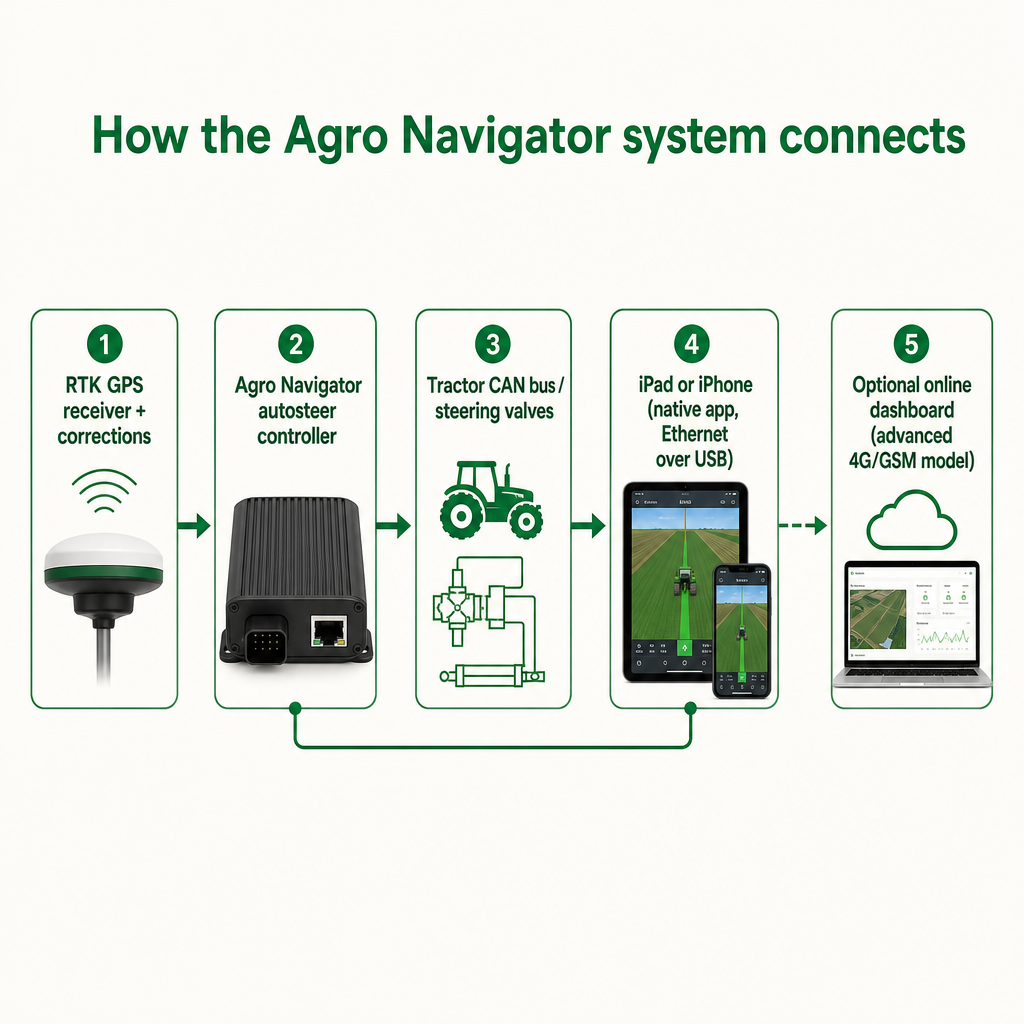
Next, add the Agro Navigator controller. The base model connects to your iPad or iPhone through Ethernet over USB; the advanced model does the same and additionally brings up its 4G/GSM link for telemetry. Configure the CAN bus integration so the controller can drive the factory steering valves, then set up the app: define fields, guidance lines, implement widths, and the correction source. From there the workflow is the familiar AgOpenGPS one, delivered on the touchscreen rather than a laptop.
Decide the hardware tier during this planning stage, not after. If you run a single machine and stay near home, the wired controller is enough. If you manage several tractors, distant blocks, or hired operators, the 4G model's dashboard pays for itself in visibility and remote support.
Because the brief does not publish verified prices, part numbers, accuracy figures, or a formal spec sheet here, treat exact compatibility and cost as items to confirm directly. The affordability argument rests on the structure of the system—reusing your device and receiver, avoiding feature unlocks, and skipping the Windows PC—rather than on a single quoted number. Confirm your specific receiver model, iOS device, and tractor's CAN access with Agro Navigator before ordering so the fit is verified for your machine.
A note on planned features: predefined path driving and multi-vehicle coordination are described as roadmap items under development, not shipping capabilities. The relevant point today is that buying into an open, extensible platform means those autonomy features can arrive without a full hardware replacement. As always, follow local machinery safety regulations and manufacturer guidance when operating autosteer, on the field and on public roads.
Frequently asked questions
Is Agro Navigator compatible with my existing RTK receiver and AgOpenGPS boards?
The system is designed to work with existing RTK GPS receivers and community AgOpenGPS boards rather than forcing a specific GNSS brand. That is a core part of the open-platform approach, since reusing hardware you already trust is what keeps the cost down. Because supported receiver models and CAN protocols are not published in full here, confirm your exact receiver and board with Agro Navigator before purchase.
Do I still need a Windows PC in the cab?
No. Guidance and autosteer run as a native iOS app on an iPad or iPhone, connected to the controller via Ethernet over USB. Removing the Windows laptop is one of the main differences from a traditional AgOpenGPS build, which normally runs the desktop software on a PC in the cab.
Why is this more affordable than a proprietary RTK system?
Affordability comes from breaking the bundle. You reuse an Apple device instead of buying a rugged Windows tablet and software license, reuse your existing RTK receiver and corrections instead of a locked GNSS brand, and rely on open-source AgOpenGPS where core functions are not held behind per-feature unlock fees. Proprietary RTK packages have historically reached $30,000 or more, largely because those layers are bundled and licensed.
What does the 4G advanced model add over the wired version?
The advanced model includes a built-in 4G/GSM modem for live telemetry, remote machine monitoring, and fleet management through an online dashboard. The wired base model handles autosteer entirely within the cab. If you need to see machine position and status remotely or coordinate several tractors, the 4G model is the relevant tier.
Can the system drive fully autonomous paths today?
Not yet. Predefined path driving and multi-vehicle coordination are planned roadmap features described as in development, not current production capabilities. Today the system delivers RTK guidance and autosteer; the open platform is intended to let autonomy features be added over time without replacing the hardware.
What do I need to check before ordering?
Confirm that your tractor is steer-ready with CAN bus access to its factory steering, verify your existing RTK receiver and correction source, and have an iPad or iPhone available. Then decide between the wired controller and the 4G model based on how many machines you run and whether you need remote monitoring. Contact Agro Navigator or a dealer to confirm compatibility and current pricing for your setup.