
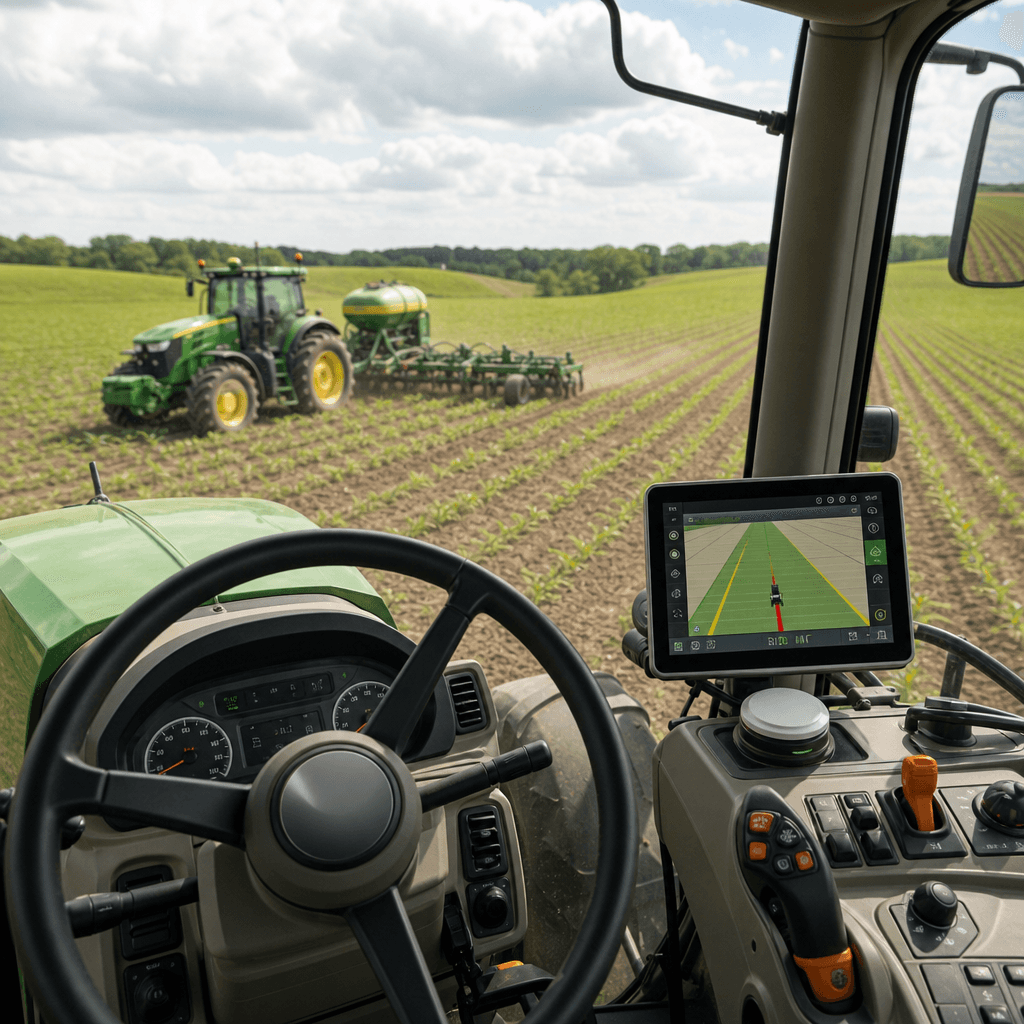
Steer Ready Tractor Autosteer Explained
A steer ready tractor autosteer system uses the tractor's existing electronic steering path instead of bolting a motor onto the steering wheel. That single detail changes the economics of precision guidance, because it often removes the most invasive part of a retrofit. It does not, however, make every tractor plug-and-play. With Agro Navigator, a working installation always comes down to four separate parts cooperating: the operator interface, positioning, corrections, and the steering control path. Get all four right for your specific machine, and centimetre-class line holding becomes realistic. Miss one, and the phone in the cab is just a map.
The quick answer to the question most buyers arrive with: a steer-ready tractor already exposes a usable electronic steering interface, so you typically add guidance intelligence and positioning rather than mechanical actuation. But steer-ready status is machine-specific. The tractor has to present a compatible CAN steering interface, and the matching profile has to be confirmed for that exact model before anyone can promise it will steer.
Table of contents
- • What "steer-ready" actually means
- • The four parts of an Agro Navigator autosteer install
- • Steer-ready versus retrofit: the real difference is the actuator
- • How to judge whether your tractor is a strong candidate
- • What Agro Navigator is and is not
- • Frequently asked questions
What "steer-ready" actually means
A steer-ready tractor has a factory or previously installed steering-control path that an external guidance system can command. In our configurator this is represented by a steer-ready machine CAN profile. The practical implication is that you usually skip the steering-wheel motor, which is the part of a mechanical retrofit that most affects cab ergonomics and fitment.
The word that carries all the weight is specific. Steer-ready status attaches to a model and its CAN implementation, not to a brand or a marketing label on the dashboard. A tractor being advertised as "autosteer-ready" does not by itself tell us the correct CAN profile is available, that the profile has been tested against that machine, or that the installation needs no calibration.
Steer-ready also does not imply several things buyers often assume. It does not mean the tractor is compatible with every autosteer brand. It does not mean an RTK receiver or a correction subscription is already present. And it does not mean the job is free of wiring, enclosure, and calibration work. Because of this, we ask for the tractor model and the existing steering or GNSS equipment before planning a deployment, so compatibility is confirmed rather than assumed.
If you want the longer background on how electronic guidance lines are held in the first place, our explainer on guidance systems for tractors covers the GNSS-and-RTK foundations this article builds on.
The four parts of an Agro Navigator autosteer install
The most useful mental model is to stop thinking of "an autosteer app" and start thinking of four cooperating parts. Each one is a separate purchasing and compatibility decision, and confusing them is the single most common source of mismatched expectations.
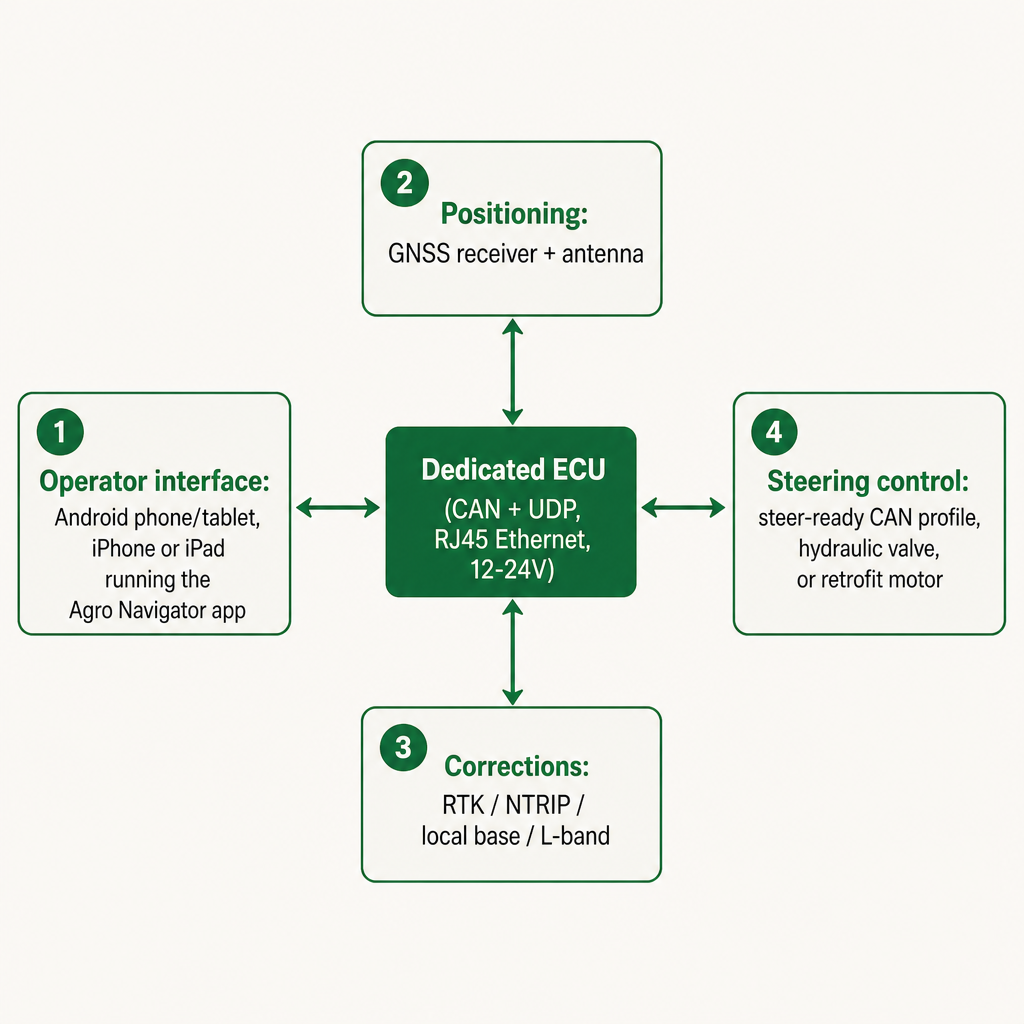
The mobile app is the cockpit, not the controller. We provide native Android and iOS support across Android devices, iPhones and iPads. The app handles field guidance, setup, calibration, diagnostics and live machine information, and it can show guidance lines and RTK status while the hardware does the control work. The configurator lists Android, iPhone and iPad compatibility as included with the base ECU, with the local connection running over the ECU's RJ45 Ethernet port and a USB-C Ethernet adapter path to the device. This lets you run a mobile-first cab without a Windows PC. It does not mean a phone steers the tractor by itself. The deeper walkthrough of the iOS side lives in our AgOpenGPS for iPad native autosteer explainer.
GNSS supplies position. The receiver may be supplied separately or configured as part of the system. The current configurator groups receivers by capability, from a no-receiver option where you connect your own external GNSS, through a multi-constellation module for non-RTK workflows, to dual-band, all-band and dual-antenna heading RTK modules. The published accuracy figures are indicative, not guaranteed field accuracy, because real performance depends on antenna, sky view, correction source, calibration, field conditions and machine setup. For low-speed work, reversing, or jobs where orientation matters, a dual-antenna heading solution can be worth the premium; for simpler guidance a single-antenna RTK receiver may be enough.
Corrections turn raw position into centimetres. An RTK receiver computes its own position from satellite signals, but correction data is normally required for centimetre-class accuracy. Our configuration options span an existing RTK base or NTRIP service, NTRIP over 4G or Wi-Fi, a local farm base link, L-band PPP or PPP-RTK readiness, and dual-path NTRIP-plus-L-band failover. The right choice follows coverage and geography: NTRIP suits areas with reliable cellular and a good network service, a local base suits farms wanting an independent source, and L-band or dual-path can help where cellular is patchy. Correction subscriptions, SIM plans and renewal fees sit outside the hardware estimates.
The ECU joins the app to the machine. The dedicated ECU is the control and communications layer between the app, GNSS data and steering hardware. The base ECU includes CAN and UDP communication, an RJ45 Ethernet connection, 12-24 V power input, onboard storage, diagnostics and Android/iPhone/iPad compatibility. The configurator lists the base ECU at EUR 1,490 excluding VAT. Treat that as a hardware starting point, not a finished steer-ready installation: GNSS, corrections, steering interfaces, enclosures, installation, shipping, taxes and third-party services can all be additional.
Steer-ready versus retrofit: the real difference is the actuator
Strip away the terminology and the distinction between a steer-ready and a retrofit tractor is one question: who moves the steering? On a steer-ready machine the tractor already does, through a compatible CAN path; on a retrofit machine you add the actuation.
The steering path you select is itself a configuration decision. The table below maps the paths we list to the machine situations where each applies.
| Steering path | When it may apply | Indicative configurator price |
|---|---|---|
| Diagnostics-only base ECU | Testing signals and app connectivity without steering actuation | Base ECU only |
| Steer-ready machine CAN profile | Tractor with a confirmed factory or installed CAN steering readiness | +EUR 690 |
| Retrofit CAN steering interface | Tractor needing a CAN-controlled steering motor | +EUR 290 |
| Hydraulic valve and section I/O | Machine using hydraulic steering or implement-control interfaces | +EUR 1,490 |
| Separately supplied actuator | Installation where the motor or actuator comes from another source | Varies |
On a steer-ready tractor, the configuration typically needs the base ECU, the correct machine-specific CAN profile, GNSS hardware, a correction source, wiring and enclosure hardware, plus calibration and installation. Because no steering motor is normally added, the install can be physically cleaner than a mechanical retrofit.
A retrofit tractor without a usable steering-control path may need an ECU-side retrofit CAN interface, a steering motor and mounting hardware, a hydraulic valve system, or another supported actuator. The configurator lists a typical CAN steering motor package at +EUR 990 and a heavy-duty motor package at +EUR 1,490, with motor fitment, bracketry and calibration depending on cab and steering-wheel geometry. A retrofit is not inherently worse; it simply requires a different mechanical and electrical assessment.
These are indicative configuration prices, not model-specific fitment confirmation. For how the receiver, correction and steering pieces come together on an iPad-based cab specifically, our RTK autosteer with an iPad setup guide walks through the hardware chain in detail. To compare live combinations rather than relying on an old two-model table, the Agro Navigator hardware configurator separates app platform, ECU, steering interface, retrofit motor, enclosure, GNSS receiver, correction source, connectivity, storage and telemetry into distinct choices.
How to judge whether your tractor is a strong candidate
A steer-ready tractor is a strong candidate when the exact model has a confirmed compatible CAN steering profile, its steering readiness is documented or verifiable, a suitable GNSS receiver is already owned or planned, an RTK correction source exists in the operating area, the operator wants a mobile Android or iOS interface, and installation and calibration can be performed or supervised by a competent technician. When those line up, you are mostly adding intelligence to steering the machine already supports.
Ask for a model-specific review instead when the tractor's "autosteer-ready" specification is vague, the machine uses a proprietary or undocumented CAN implementation, readiness exists but has never been tested with the required profile, hydraulic steering or section control is involved, the cab geometry, wiring or power is unusual, cellular coverage is weak, or you are reusing a receiver, antenna or correction subscription from another system. Each of those turns a catalogue decision into an engineering one.
The honest commercial takeaway is that the base ECU price alone tells you very little about your out-the-door cost. A realistic figure includes the GNSS receiver and antenna, the RTK correction service, the ECU steering interface, the enclosure and harness, installation and calibration, connectivity and SIM costs, any support or telemetry subscription, and the machine-specific compatibility work. We confirm compatibility per model, finalise hydraulic parts after a machine review, and set final price and scope in writing.
Connectivity is its own decision layer. A local wired setup links the ECU to the device over Ethernet and suits a straightforward cab install or an evaluation build. Optional 4G/LTE hardware adds remote diagnostics, telemetry, device identity and correction routing, and the connected configuration described on our dealer information page adds remote monitoring, live telemetry and an online fleet dashboard that matters most to fleet managers and resellers. Choose local Ethernet for a dependable in-cab link, 4G when remote status or wireless correction delivery matters, and confirm cellular coverage, SIM costs and service charges before committing.
What Agro Navigator is and is not
Agro Navigator is a commercial, supervised mobile guidance and autosteer system built around dedicated ECU hardware, designed to work with supported RTK receivers, correction services and compatible machine steering paths. We identify as an independent product rather than AgOpenGPS, and we limit interoperability claims to selected supported community boards and open-protocol workflows.
Setting expectations precisely is part of a responsible purchase. We are not an iPhone-only product, not a phone-only steering system, not the official iOS or Android version of AgOpenGPS, and not a guarantee of universal AgOpenGPS board compatibility. We do not guarantee centimetre accuracy in every field, we are not a universal retrofit kit for every tractor, and we are not an unsupervised autonomous driving system or a standalone emergency-stop or braking system.
That last point is a safety boundary, not fine print. A trained operator must stay in control and able to stop or override the machine at any time. Treat the product as supervised field guidance and autosteer hardware that assists a working operator, never as a replacement for the tractor's own safety controls or for operator responsibility.
For most independent farmers, the appeal of steer-ready autosteer is real: it can avoid the cost and complexity of adding a steering motor, and the value comes from matching the existing tractor interface to the right ECU profile, receiver and correction service. The practical next move is to send us your machine details and let the configuration be built around the tractor you actually own.
Frequently asked questions
Can an Android phone or iPhone steer a tractor by itself?
No. The phone or tablet is the operator interface. Autosteer also needs a suitable GNSS receiver, correction data, an ECU path and compatible steering hardware fitted to the tractor.
Does a steer-ready tractor need a steering motor?
Normally no. A confirmed steer-ready tractor uses its compatible CAN steering path. A retrofit motor may still be required if the claimed readiness is unavailable, incompatible or unsuitable for the selected installation.
Does RTK come with the base ECU?
No. The configurator lists the base ECU separately, while GNSS receivers and correction sources are optional configuration items. Third-party correction subscriptions and service fees are separate.
Does Agro Navigator support both Android and iOS?
Yes. Current product and configurator information lists Android, iPhone and iPad compatibility, with the device acting as the operator cockpit.
What should I send before requesting a quote?
Provide the tractor make and model, existing autosteer or GNSS equipment, steering interface details, your preferred Android or iOS device, your correction source, local cellular conditions and whether telemetry is required. Compatibility and installation scope are then confirmed for your specific machine.